

Poopy Support
Really can't figure it out? Then get in touch!
Watch the videos below, download the manual and check out the comprehensive app tutorial!
1. Functionality & Operation.
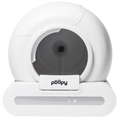
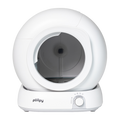
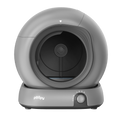
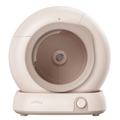
The Poopy Nano is a fully automated self-cleaning litter box that eliminates the need for scooping litter. The box uses weight sensors that detect when your cat enters and leaves the box.
The bin is equipped with advanced weight sensors that detect the presence of a cat. As soon as your cat steps into the bin, this is recorded and when the cat is ready and steps out of the bin, the cleaning timer is started. We recommend setting this to 5 minutes. The Poopy then waits 5 minutes before cleaning begins. This is most optimal because clumps in the cat litter need time to form properly. This ensures that loose pee or semi-soft feces are not immediately dispersed in the litter box, making the cleaning process more effective.
The average cleaning cycle takes 2 to 3 minutes, depending on the settings. During cleaning, all clumps are carefully removed and placed in the litter box. After the cycle, the litter box is immediately ready for use again.
The Poopy Nano 2 is designed with safety as a priority. If your cat steps back into the bin during the cleaning cycle, the cycle is immediately interrupted. The bin stops and only, once the cat leaves the bin again, it's cleaning will resume.
The frequency with which you should empty the litter bag depends on the number of cats and how often they use the bin.
The Poopy Nano works best with coarse, clumping cat litter that also contains odor control, for example through activated carbon, as this ensures firm clumps that do not fall apart during cleaning, keeps the drum clean, and effectively masks unpleasant odors in combination with the closed waste compartment. it is also important that the litter is low in dust to prevent contamination and wear of sensors and moving parts, has a high absorbency to quickly absorb and retain urine so that leakage to the base is minimized as much as possible, clumps quickly and powerfully for clean separation without residue or smears, does not stick to the paws to prevent mess in the house and, thanks to the coarser grain size, is less likely to sink through to the base. We are currently seeing good results with various Biokat's variants and with our own improved litter, Poopy V2, which has been specially developed for optimal use in the Poopy Nano .
The Poopy Nano is designed to operate very quietly, with a noise level of approximately 55 dB (comparable to a quiet conversation at a normal speaking distance). This means that neither you nor your cat will be disturbed by the cleaning process, even at night.
Yes! In addition to its automatic operation, the Poopy Nano also has a manual cleaning option. Pressing the button on the control panel immediately starts a cleaning cycle. This is useful if, for example, you want to have the container cleaned extra thoroughly after intensive use.
Yes, as long as the catch basin does not fill up. Many owners run the bin while they are on vacation so that the cat has a clean and odorless environment. If you go away for more than a week, it is advisable to ask a house sitter to empty the catch basin.
There is a special function for that. "Pause between turns." The bin then does not clean immediately after each detection, but waits until a set time has passed. Thus, cleaning is started only after your cat(s) have finished several short visits. You can set how long that pause lasts. This prevents unnecessary frequent running and ensures more sustainable and energy-efficient operation.
2. Cost & Savings
Although the Poopy Nano offers a fully automated solution, there are some recurring costs, just like with any litter box. However, unlike a traditional litter box, you actually save money in the long run because the Poopy Nano uses litter much more efficiently.
Yes, the Poopy Nano saves money in the long term on cat litter, cleaning products, and time. Although the purchase price is higher than that of a traditional litter box, you will quickly recoup this investment thanks to the efficient litter processing and minimal maintenance.
For many cat owners, the Poopy Nano is the best investment they can make (according to thousands of our customers). Unlike a traditional litter box, which needs to be cleaned manually every day, the Poopy Nano does all the work for you. This not only saves time and effort, but also ensures that your cat always has a clean litter box at its disposal.
3. Hygiene & Odor Control
The Poopy Nano is designed to minimize odors, but no litter box is completely odorless. Thanks to the sealed collection tray, unpleasant odors are greatly reduced and remain largely contained. Unlike a traditional litter box, where urine and feces remain in the box longer and odors can spread throughout the room, the Poopy Nano removes waste immediately after use. This prevents strong odors from accumulating and keeps the litter box much fresher than a standard model.
The Poopy Nano is significantly more effective at odor control than a manually maintained litter box, simply because waste is removed much more quickly. With a traditional litter box, urine continues to soak into the litter and feces are often only removed after hours or even days, allowing odors to continue to spread.
No, the Poopy Nano does almost all the work for you, but a little maintenance helps to keep odor control optimal. It is advisable to empty the collection tray regularly. For one cat, this is usually every 4-6 days, and slightly more often for multiple cats.
4. Maintenance & Sustainability
The Poopy Nano is designed to require as little maintenance as possible. Unlike a traditional litter box, which you have to scoop out daily and completely clean weekly, the Poopy Nano does almost all the work for you. The only regular maintenance required is replacing the waste bag and occasionally giving it a quick clean.
The Poopy Nano is designed with durability and quality in mind. Unlike cheaper self-cleaning litter boxes, which often show signs of wear and tear within a few months, the Poopy Nano is made from high-quality, robust materials that can withstand daily use.
The Poopy Nano is designed to operate reliably and without malfunction. Less expensive self-cleaning litter boxes often suffer from sensors that do not respond properly, mechanical malfunctions, or clogged fillers, but the Poopy Nano system has been thoroughly tested and optimized to prevent this.
Yes, various parts of the Poopy Nano are available separately, so you don't have to buy a whole new litter box if something wears out or gets damaged. The drum and base parts can be replaced if necessary.
5. Suitability for Cats
The Poopy Nano is designed to be suitable for almost all cat breeds and sizes. The spacious interior offers enough room for both small and medium-sized cats. The Poopy Nano is perfectly suited for most cat breeds, such as European Shorthairs, Siamese, British Shorthairs, and Bengals.
Most cats get used to the Poopy Nano immediately or within a few days, mainly because it is always clean. Cats naturally prefer a clean and fresh litter box, and because the Poopy Nano removes waste immediately, cats often accept it more quickly than a traditional litter box that occasionally remains dirty.
Yes, the Poopy Nano 2 is completely safe for both kittens and older cats. The design takes into account the needs of different ages, so both young and older cats can use the box comfortably.
Some cats, especially shyer types, may be suspicious of a moving litter box at first. This is normal because cats are sensitive to new sounds and moving objects in their environment.
6. Installation & Ease of Use.
Yes, the Poopy Nano is designed with ease of use in mind and can be ready to use in minutes. You don't need to follow complicated steps or have technical knowledge. All you have to do is unpack the bin, place it in the desired location, plug it into a power outlet, and fill it with clumping cat litter.
The Poopy Nano can basically be placed anywhere where there is a power outlet nearby and where the space is dry and well ventilated. Many users place the bin in the hallway, utility room, or living room because it is so quiet that it does not bother you.
The Poopy Nano operates on mains power and comes with a power adapter. It therefore requires a power outlet to function.
Most cats get used to the Poopy Nano surprisingly quickly. Cats are naturally hygienic and have a strong preference for a clean litter box. Because the Poopy Nano cleans itself automatically and is therefore always fresh, many cats find it more pleasant than their old litter box.
That's entirely up to you. The Poopy Nano can function completely independently or be linked to an app—whichever you prefer.
Yes, you can. The Poopy Nano has an option to disable the automatic cleaning function or activate it manually. This is especially useful if your cat still needs to get used to the litter box or if you want temporary full control over when the litter box cleans.
Yes, the Poopy Nano is light and compact enough to move around, but sturdy enough to stay in place during use. If you want to move the bin to another room, simply unplug it, pick it up, and place it in its new location.
The Poopy Nano has a minimalist and intuitive control panel with two buttons and two status lights. The controls are designed so that you can fully control the litter box without an app or complicated menu—everything you need is on the front.
The Poopy Nano is designed for households with multiple cats and performs well in practice. For most users, one Poopy works Poopy for two to three cats. In this configuration, the system remains reliable, hygienic, and comfortable for the cats, without increasing maintenance excessively.
When you unplug the Poopy Nano from the power outlet, the system shuts down completely. The bin stops cleaning and all functions are paused.
The Poopy Nano 2 is designed to work with a 2.4 GHz wifi network, which is the most common type in households. The litter box is not compatible with 5 GHz wifi. If you have a dual-band router (with both 2.4 GHz and 5 GHz), make sure you select the correct network, usually the wifi network without "5G" in the name.
Yes, you can!
Yes, you can.
7. Parts & Accessories
When you purchase the Poopy Nano , you not only receive a top-quality self-cleaning litter box, but also a number of carefully selected accessories that will immediately take your cat care to the next level.
The deluxe drinking fountain you receive with the Poopy Nano 2 is designed to naturally encourage cats to drink more water. Flowing water is more appealing to cats than stagnant water in a box, and it helps keep kidneys healthy - especially important in older cats or cats that eat dry food.
To maintain optimal water quality, we recommend replacing the drinking fountain filter every 3 to 4 weeks. With intensive use or with multiple cats, it is wise to do this a little more often.
The included litter box mat can be easily placed in front of the opening of the Poopy Nano . The mat is made of soft but durable material that effectively catches litter when your cat steps out of the box.
All accessories, replacement filters, and waste bags can be easily ordered through our official webshop. We ensure that everything fits perfectly with the Poopy Nano , so you never have to search for compatible products.
Poopy Nano - Automatic litter box
Download the manual
1. Poopy Nano
This is the name of the device you are operating via the app. Here you can see the model of the Poopy is connected. You can choose the name yourself by clicking on edit. If you have two Poopy, it is useful to choose a name yourself, for example: "Poopy Nano - Living Room" or "Poopy Nano - Bedroom."
2. Status Standby
The current status of the Poopy Nano . In standby mode, the litter box is not actively cleaning, emptying, or leveling and is ready for use. This means that the box is ready for the next time your cat uses it.
3. Weight of your cat (3.0 kg).
The recorded weight of your cat during its last visit to the Poopy Nano . This helps you track your cat's weight changes. If you have two cats, you can use the weight to see which cat visited the Poopy Nano .
4. Number of visits (3 times).
The number of times your cat has visited the litter box since the last reset or within a specific time period.
5. Car
Automatic mode of the Poopy Nano . When enabled, the litter box will automatically start cleaning after each use by your cat. When disabled, the litter box will NOT clean automatically. This is useful if, for example, you have a kitten that weighs less than 1 kg. By disabling this mode, the Poopy functions as a normal litter box.
6. Cleaning
This button manually starts a cleaning cycle. Useful if you want to have the litter box cleaned an extra time, separate from the automatic cycle.
7. Legen
This button starts a cycle to completely empty the bin, discharging all the grit to the Poopy Bag. This is useful when you want to replace the grit or clean the bin thoroughly.
8. Leveling
This button starts the leveling cycle. This ensures that the cat litter is neatly distributed in the bin. Handy to make sure the grit layer is even everywhere.
9. Average visiting time
The average time your cat spends in the Poopy Nano during each visit. This can provide insight into your cat's behavior.
10. Number of visits
The total number of times your cat has visited the litter box over a given time period, such as daily or monthly.
11. Day
Display of the Poopy Nano statistics for the day. Here you can view your cat's daily usage statistics.
12. Month
Display of the Poopy Nano statistics for the month. Here you can view your cat's monthly usage statistics.
13. Home page
This is the app's home page, where you can monitor the general status of the Poopy Nano and your cat's behavior at a glance. You can Poopy control the Poopy (remotely) from this page.
14. Settings page
The settings menu where you can adjust the most important settings of the Poopy Nano .
15. Advanced settings page
The advanced settings menu, where you can manage additional features and specific configurations of the Poopy Nano . You can also Poopy the Poopy via this menu.
16. Notification settings page
In the notification settings, you can choose which notifications you want to receive about the status of the Poopy Nano .
17. 2024/11/07
This is the date. You can edit it to view the activity of a desired day.
18. Log
The logbook keeps track of all Poopy Nano activities, such as cleaning cycles, visits by your cat, and any notifications or warnings. This gives you an overview of the litter box's usage and performance over time.
19. Settings
This is the first settings menu. Here you can adjust the Poopy Nano 's settings, such as cleaning time and other settings Poopy by Poopy .
20. Cleaning
Settings for the Poopy Nano cleaning function. Here you can set when the litter box should be cleaned automatically.
21. Time to clean
Set how long the Poopy Nano waits before automatically cleaning after your cat has used the litter box. This prevents cleaning from starting while your cat is still nearby. Do you want the Poopy to start cleaning Poopy ? Then set the time to 0 minutes. Prefer a slight delay? Then choose 1 to 2 minutes. We recommend setting it to 5 minutes, so that the cat litter has enough time to clump properly. This ensures that your Poopy works best.
22. Pause between turns
Here you set the minimum time between two consecutive cleaning cycles. This prevents the bin from cleaning again immediately, which is especially useful if you have several cats that use the bin shortly after each other. So you set this depending on the number of cats.
23. 0 minutes/15 minutes
These are the time options you can set for the "Time to clean" or the "Pause between turns." Choose the desired time to adjust the cleaning cycle to your preference.
24. Other
Additional settings offered by the Poopy Nano to further personalize the litter box's operation.
25. Hibernate
Sleep mode temporarily switches off the Poopy Nano so that it does not perform automatic cleaning during certain periods, such as at night. All functions are paused and the tray does not respond to cat behavior. Ideal for quiet environments, such as bedrooms or living rooms. After the set period, the Poopy resumes normal operation.
26. Scheduled cleaning(s).
This feature allows you to set fixed times at which the Poopy Nano automatically cleans. This is useful if you prefer to work with a fixed schedule—for example, in the morning and evening—rather than after each use. This keeps the litter box fresh, even if your cat uses it less often.
27. Double cleaning
Activates a double cleaning cycle after each visit from your cat, providing extra thorough cleaning. Ideal for when you want to keep your box extra clean.
28. Deep cleaning
Start a special cleaning cycle for extra thorough cleaning. The Poopy Nano first moves back and forth to bury the waste more effectively, followed by the normal cleaning cycle. This keeps the litter box even cleaner. We recommend using this setting in case of diarrhea.
29. Advanced Settings
This menu offers additional settings for adjusting specific functions of the Poopy Nano . Here you can Poopy the Poopy and further customize the litter box to suit your preferences and those of your cat.
30. Selection cat litter
Select the type of cat litter you use so that the Poopy Nano can respond optimally. This ensures that the litter box works correctly with the litter you choose.
31. Mixed (Tofu)
Setting for mixed cat litter, such as tofu pellets. This type of filling has a different texture and weight than bentonite grit, and the Poopy adjusts its operation accordingly for optimal performance.
32. Mineral (Bentonite)
Setting for mineral cat litter, such as bentonite. The Poopy is optimized to handle this type of heavy, clumping litter efficiently and keep it clean.
33. Child lock
Activates the child lock on the Poopy Nano , locking the buttons to prevent unwanted operation by children or curious cats.
34. Poopy restart
This allows you to restart the Poopy Nano . This can be useful after adjusting certain settings or in the event of minor malfunctions. All settings will be retained, but the container will be reinitialized.
35. Converting units
Choose the desired unit for weight. For example, you can switch between kilograms and pounds for your cat's weight, depending on your preference.
36. Infrared sensor on/off
This is where you turn the infrared sensor on or off. For the best performance of the Poopy , we recommend leaving it off. The sensor was originally intended as an extra safety measure, but thanks to the accurate weight sensors, this is no longer necessary. If the infrared sensor is on, curious cat behavior can interfere with the operation of the litter box.
37. Developer mode
When you turn this on you will receive the function to set advanced data from the weight sensors.
38. Notification settings
Here you can choose which notifications you want to receive about the status and use of the Poopy Nano . Customize the notifications to your preferences to stay informed about important updates.
39. Notification switch
Turn all notifications on or off with a single tap. This allows you to quickly pause or activate all notifications from the Poopy Nano .
40. Toilet notification
A notification indicating that your cat has visited the Poopy Nano and used the litter box. This keeps you informed of your cat's visiting behavior.
41. Cleaning Completed
A notification indicating that a manual cleaning cycle has been completed, so you know the bin is clean again.
42. Parental Lock Enabled Message
A message indicating that the child lock is enabled, so the buttons are locked to prevent unwanted operation.
43. Hibernation Disabled
A notification indicating that sleep mode has ended. The Poopy Nano will now automatically resume all its normal functions and perform cleaning cycles when necessary.
44. Parental Lock Disabled Message
A message indicating that the child lock has been disabled, allowing the buttons to be operated again.
45. Hibernation Enabled
A notification indicating that sleep mode has been activated. The Poopy Nano will temporarily stop all automatic functions and will not perform a cleaning cycle during the set sleep period. Once sleep mode is deactivated, the Poopy resume normal Poopy
46. Infrared Disabled Message
A message indicating that the infrared sensor is disabled.
47. Automatic Cleaning Completed
A notification indicating that an automatic cleaning cycle has been completed, so you know the bin is clean again.
48. Device Error Message
A warning that an error has occurred in the Poopy Nano . Please consult the app or contact customer service for assistance in resolving the issue.
49 Infrared Sensor Enabled
A message indicating that the infrared sensor is enabled.